> ## Documentation Index
> Fetch the complete documentation index at: https://docs.checkoutrules.com/llms.txt
> Use this file to discover all available pages before exploring further.
# Installation
> Learn how to install and set up the **BeSure Checkout Rules** app in your Shopify store to start customizing and enhancing your checkout experience.
## Install app
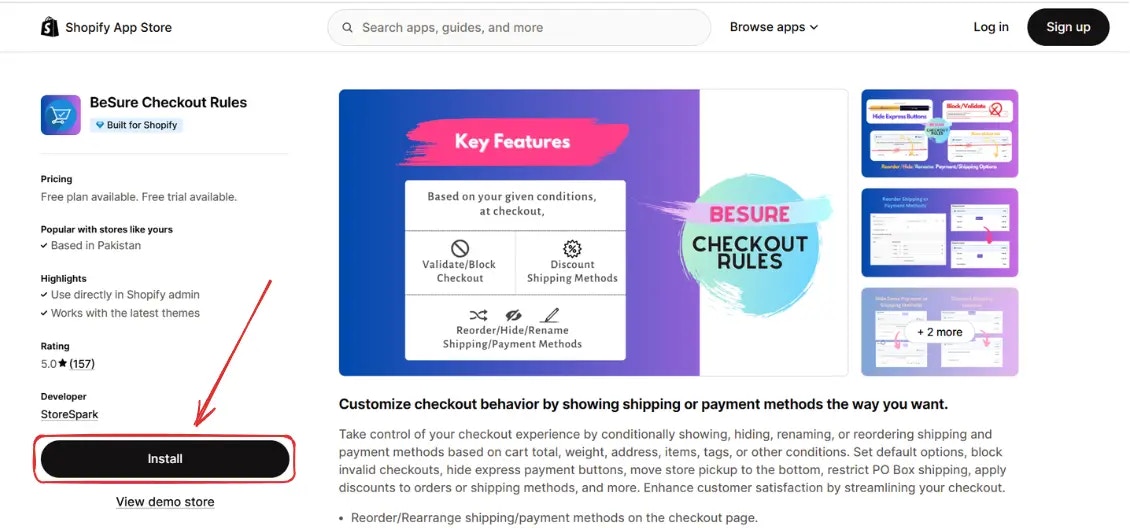
To install the app, go to [BeSure Checkout Rules](https://apps.shopify.com/checkout-rules) on the Shopify App Store.
## Go to the app
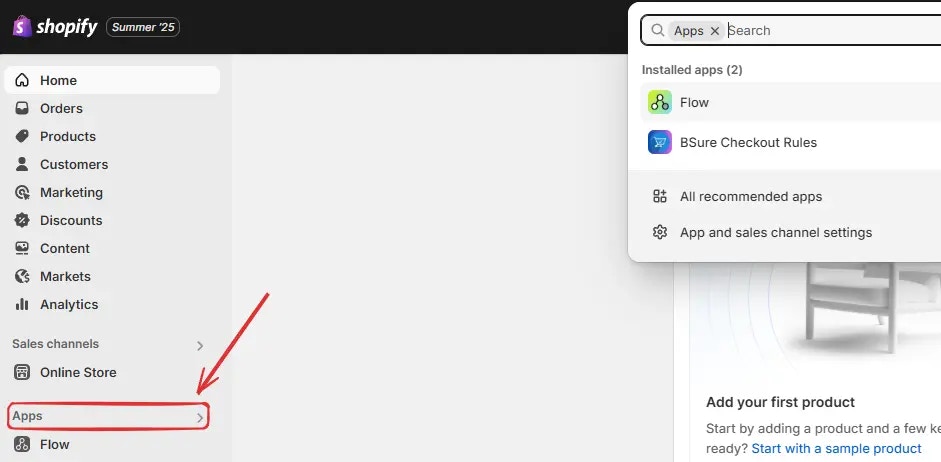
After installation, go to your [Shopify admin](https://admin.shopify.com), click on **Apps** in the sidebar.
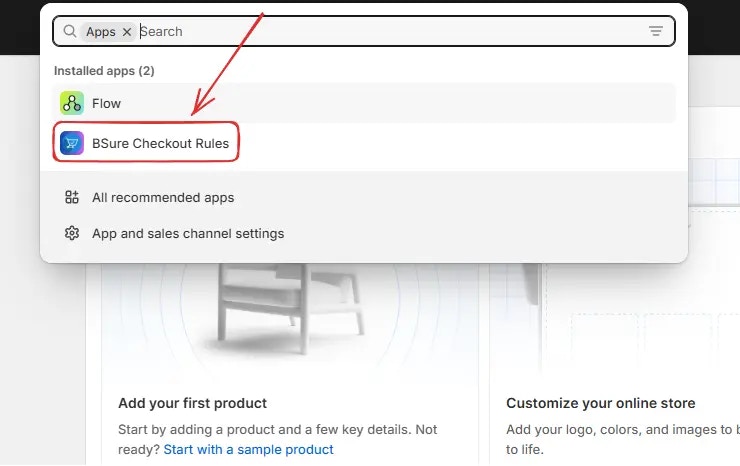
Then click on **BSure Checkout Rules** to open the app.
## Upgrade your plan
When the app is installed, the **Free Plan** is activated by default. This plan is intended for **testing** or **development** stores and lets you explore the app's features.
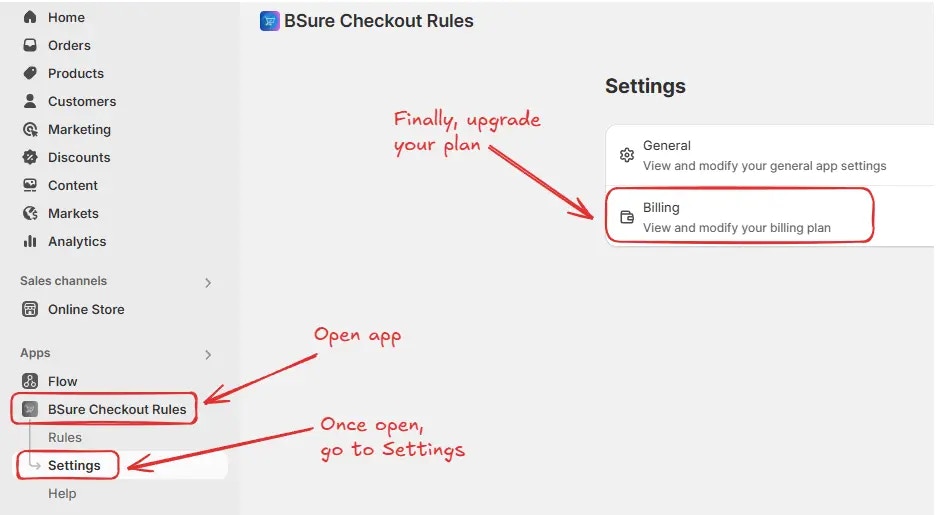
To activate rules on your store, navigate to *BSure Checkout Rules → Settings → Billing*.
Then you’ll be redirected to the **Billing** screen. Choose your tenure by selecting
the **Monthly** or **Annual** tab, and click **Select plan** on your preferred option.
After upgrading your plan, you can now activate rules on your store.
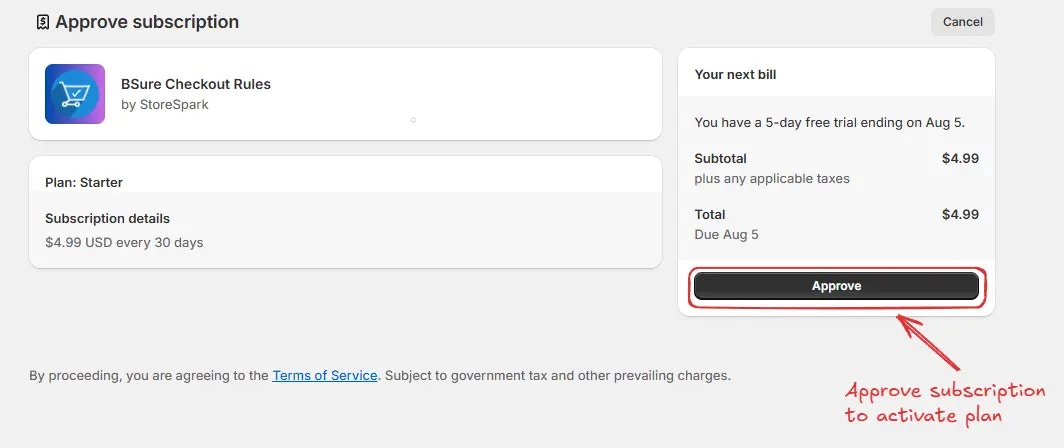
Then you’ll be redirected to the **Approve subscription** screen. Choose your **payment method** and **click “Approve”** to complete the upgrade and activate your plan.
After upgrading your plan, you can now **activate rules** on your store.
 ## Go to the app
After installation, go to your [Shopify admin](https://admin.shopify.com), click on **Apps** in the sidebar.
## Go to the app
After installation, go to your [Shopify admin](https://admin.shopify.com), click on **Apps** in the sidebar.
 Then click on **BSure Checkout Rules** to open the app.
 ## Upgrade your plan
When the app is installed, the **Free Plan** is activated by default. This plan is intended for **testing** or **development** stores and lets you explore the app's features.
To activate rules on your store, navigate to *BSure Checkout Rules → Settings → Billing*.
## Upgrade your plan
When the app is installed, the **Free Plan** is activated by default. This plan is intended for **testing** or **development** stores and lets you explore the app's features.
To activate rules on your store, navigate to *BSure Checkout Rules → Settings → Billing*.
 Then you’ll be redirected to the **Billing** screen. Choose your tenure by selecting
the **Monthly** or **Annual** tab, and click **Select plan** on your preferred option.
After upgrading your plan, you can now activate rules on your store.
Then you’ll be redirected to the **Billing** screen. Choose your tenure by selecting
the **Monthly** or **Annual** tab, and click **Select plan** on your preferred option.
After upgrading your plan, you can now activate rules on your store.
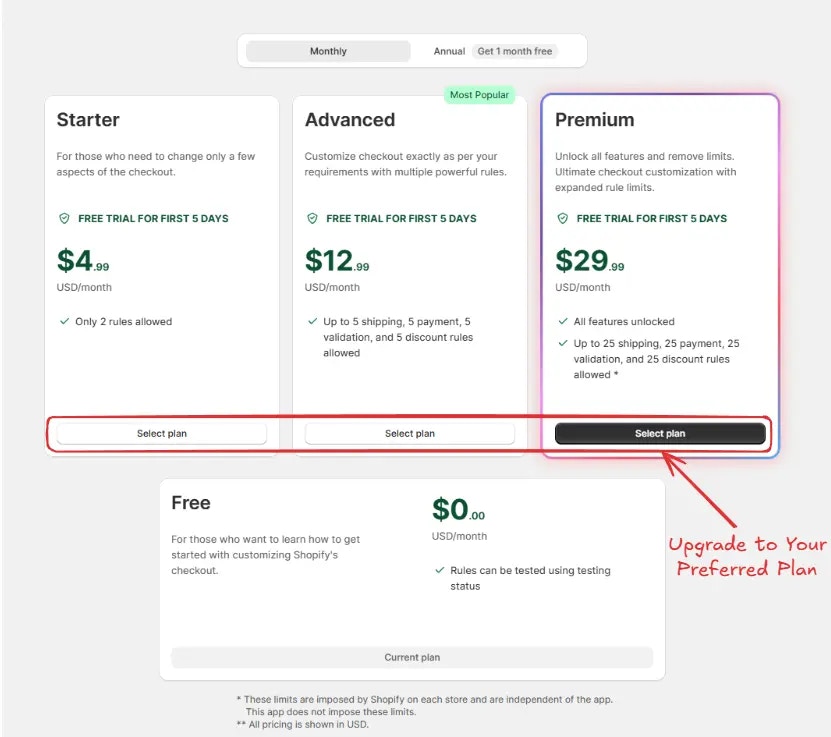 Then you’ll be redirected to the **Approve subscription** screen. Choose your **payment method** and **click “Approve”** to complete the upgrade and activate your plan.
 After upgrading your plan, you can now **activate rules** on your store.