> ## Documentation Index
> Fetch the complete documentation index at: https://docs.checkoutrules.com/llms.txt
> Use this file to discover all available pages before exploring further.
# Installation
> Apprenez à installer et configurer l’application **BeSure Checkout Rules** dans votre boutique Shopify pour commencer à personnaliser et améliorer votre expérience de paiement.
## Installer l’application
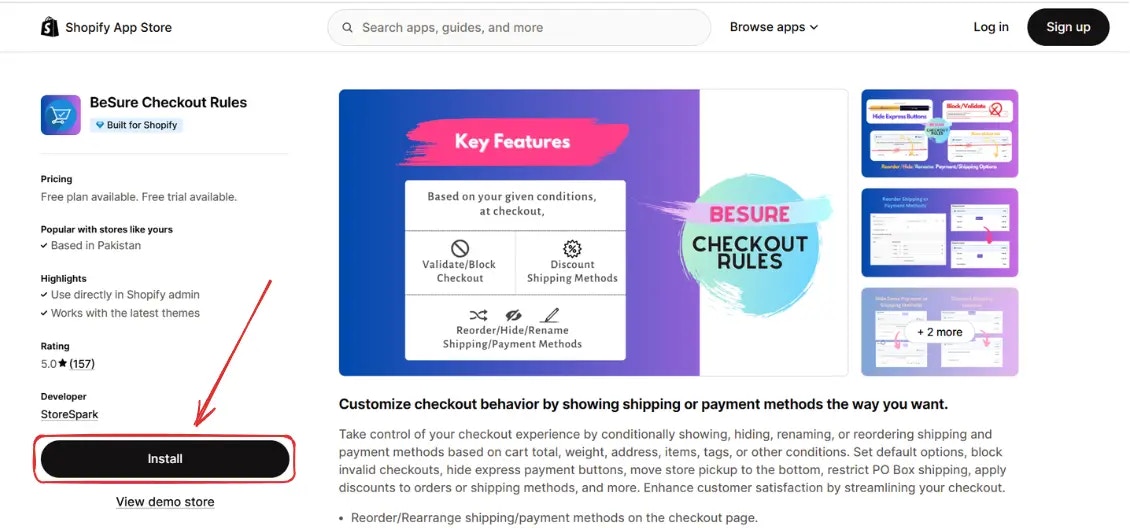
Pour installer l’application, rendez-vous sur [BeSure Checkout Rules](https://apps.shopify.com/checkout-rules) dans l’App Store de Shopify.
## Accéder à l’application
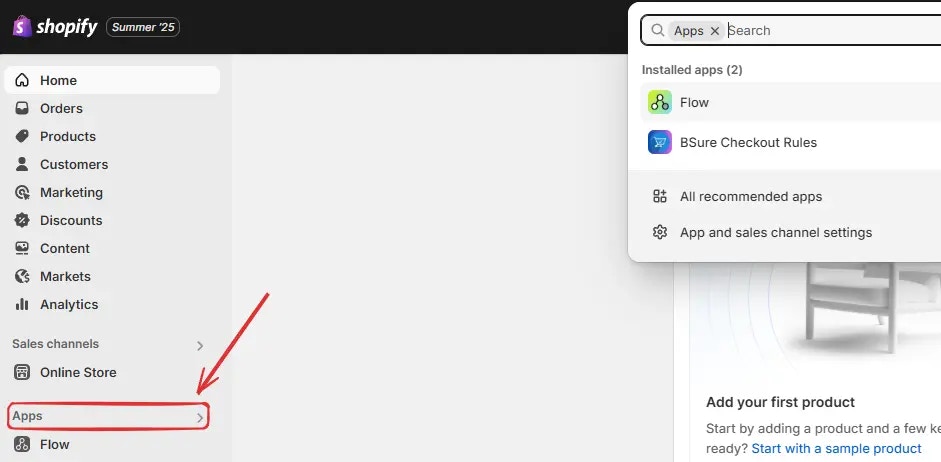
Après l’installation, allez dans votre [administration Shopify](https://admin.shopify.com), cliquez sur **Applications** dans la barre latérale.
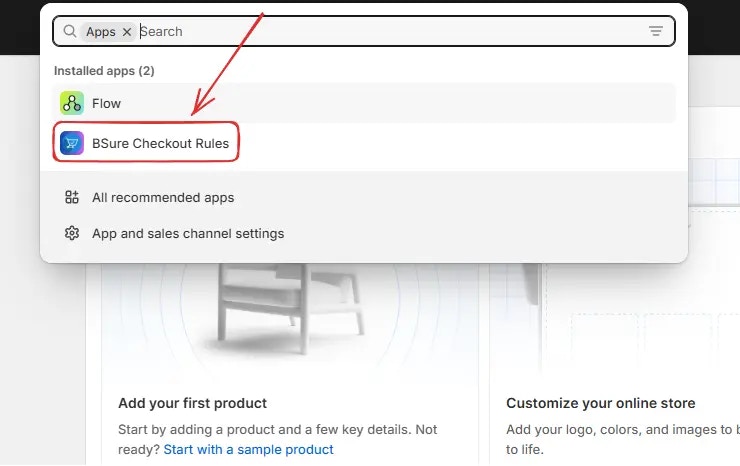
Puis cliquez sur **BeSure Checkout Rules** pour ouvrir l’application.
## Mettre à niveau votre forfait
Lorsque l’application est installée, le **Forfait gratuit** est activé par défaut. Ce forfait est destiné aux boutiques de **test** ou de **développement** et vous permet d’explorer les fonctionnalités de l’application.
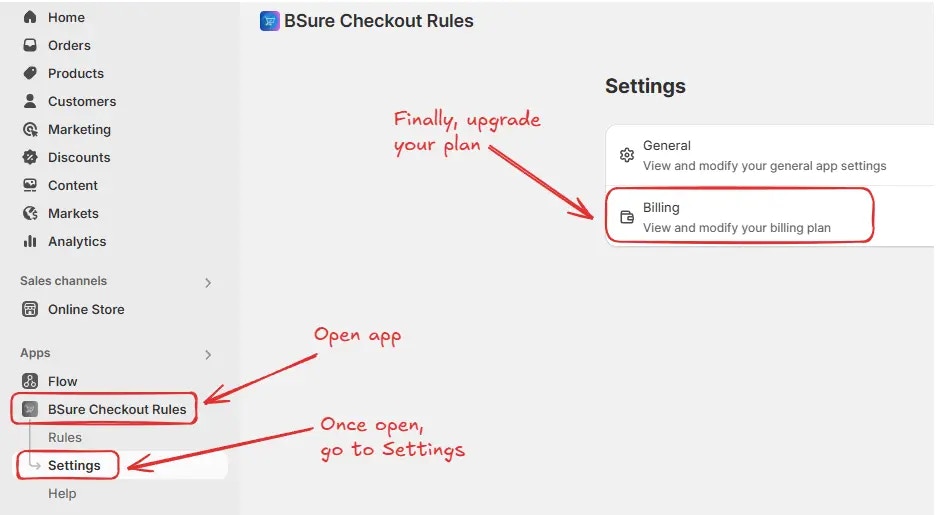
Pour activer les règles sur votre boutique, accédez à *BeSure Checkout Rules → Paramètres → Facturation*.
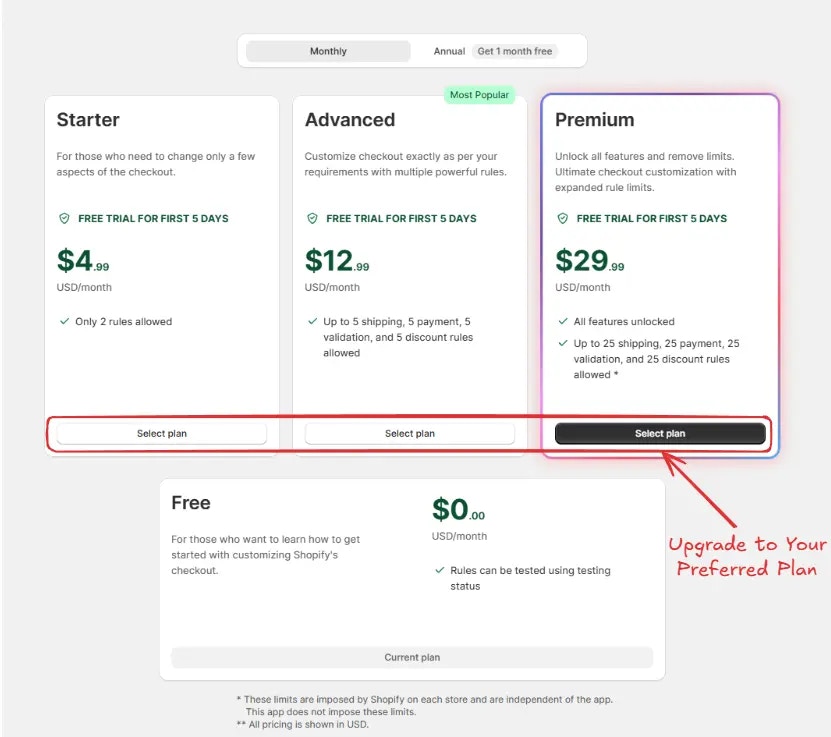
Vous serez ensuite redirigé vers l’écran **Facturation**. Choisissez votre durée en sélectionnant l’onglet **Mensuel** ou **Annuel**, puis cliquez sur **Sélectionner le forfait** pour l’option de votre choix.\
Après la mise à niveau de votre forfait, vous pouvez maintenant activer les règles sur votre boutique.
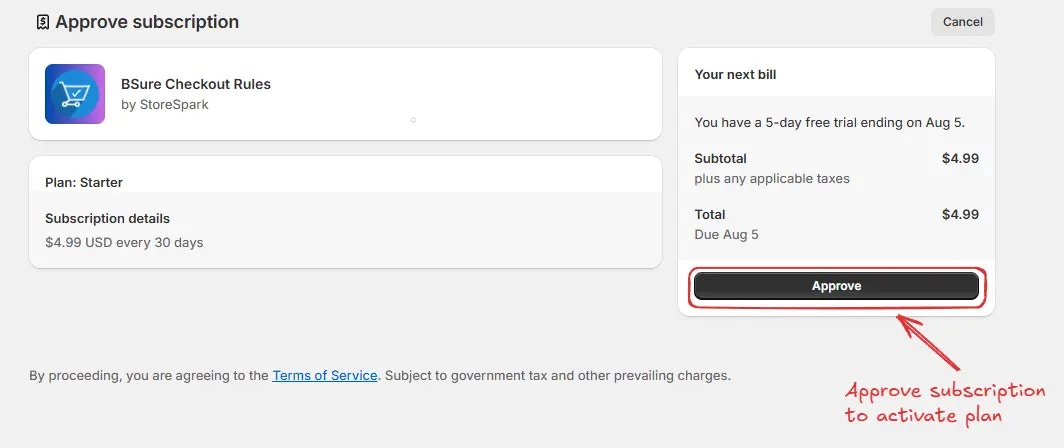
Vous serez ensuite redirigé vers l’écran **Approuver l’abonnement**. Choisissez votre **méthode de paiement** et **cliquez sur “Approuver”** pour finaliser la mise à niveau et activer votre forfait.
Après la mise à niveau de votre forfait, vous pouvez maintenant **activer les règles** sur votre boutique.
 ## Accéder à l’application
Après l’installation, allez dans votre [administration Shopify](https://admin.shopify.com), cliquez sur **Applications** dans la barre latérale.
## Accéder à l’application
Après l’installation, allez dans votre [administration Shopify](https://admin.shopify.com), cliquez sur **Applications** dans la barre latérale.
 Puis cliquez sur **BeSure Checkout Rules** pour ouvrir l’application.
 ## Mettre à niveau votre forfait
Lorsque l’application est installée, le **Forfait gratuit** est activé par défaut. Ce forfait est destiné aux boutiques de **test** ou de **développement** et vous permet d’explorer les fonctionnalités de l’application.
Pour activer les règles sur votre boutique, accédez à *BeSure Checkout Rules → Paramètres → Facturation*.
## Mettre à niveau votre forfait
Lorsque l’application est installée, le **Forfait gratuit** est activé par défaut. Ce forfait est destiné aux boutiques de **test** ou de **développement** et vous permet d’explorer les fonctionnalités de l’application.
Pour activer les règles sur votre boutique, accédez à *BeSure Checkout Rules → Paramètres → Facturation*.
 Vous serez ensuite redirigé vers l’écran **Facturation**. Choisissez votre durée en sélectionnant l’onglet **Mensuel** ou **Annuel**, puis cliquez sur **Sélectionner le forfait** pour l’option de votre choix.\
Après la mise à niveau de votre forfait, vous pouvez maintenant activer les règles sur votre boutique.
Vous serez ensuite redirigé vers l’écran **Facturation**. Choisissez votre durée en sélectionnant l’onglet **Mensuel** ou **Annuel**, puis cliquez sur **Sélectionner le forfait** pour l’option de votre choix.\
Après la mise à niveau de votre forfait, vous pouvez maintenant activer les règles sur votre boutique.
 Vous serez ensuite redirigé vers l’écran **Approuver l’abonnement**. Choisissez votre **méthode de paiement** et **cliquez sur “Approuver”** pour finaliser la mise à niveau et activer votre forfait.
 Après la mise à niveau de votre forfait, vous pouvez maintenant **activer les règles** sur votre boutique.