> ## Documentation Index
> Fetch the complete documentation index at: https://docs.checkoutrules.com/llms.txt
> Use this file to discover all available pages before exploring further.
# 隐藏支付方式
> 在给定条件下隐藏结账时的某些支付方式。
## 规则概述
此规则允许您根据定义的条件,自动隐藏结账时的特定支付方式。您可以使用购物车总额、收货地址、客户标签或产品详情等条件来控制可见性。
这有助于简化结账流程,通过移除无关或不可用的支付选项,减少客户摩擦并提高转化率。
## 示例配置
以下步骤展示如何使用应用程序创建和配置 **隐藏支付方式** 规则。
### 创建新规则
从您的 [Shopify 管理后台](/guides/zh/get-started/installation#前往应用) 打开应用程序。在侧边栏中,进入 [规则](/guides/zh/get-started/quickstart#创建示例规则) 部分并点击 *"创建规则"*。
然后,您将被重定向到 **选择结账规则类型** 页面。选择 *类别 "支付" → 选择结账规则类型 "隐藏支付方式" → 点击 “选择规则”*。
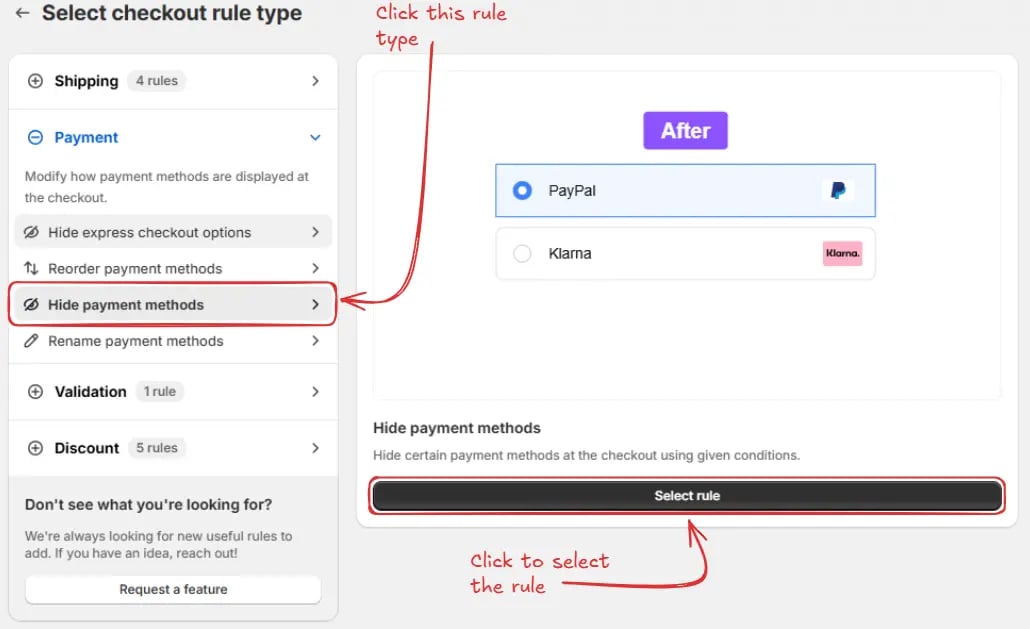 接着,您将进入 **创建新的隐藏支付方式规则** 页面,在此处可以配置您的规则。
### 规则配置
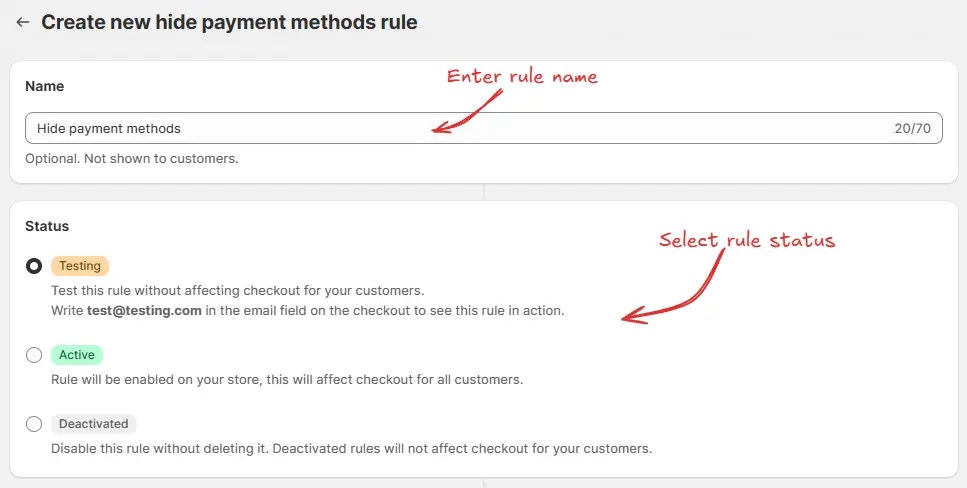
要配置规则,首先我们可以选择性地添加一个名称,例如 "隐藏支付方式" 来描述它的作用。然后,选择规则 [地位](/guides/zh/get-started/concepts#地位):测试中、启用或停用。
这里我们选择 **测试中** 地位,这样我们可以快速测试规则,而不会影响实际客户的结账。
接着,您将进入 **创建新的隐藏支付方式规则** 页面,在此处可以配置您的规则。
### 规则配置
要配置规则,首先我们可以选择性地添加一个名称,例如 "隐藏支付方式" 来描述它的作用。然后,选择规则 [地位](/guides/zh/get-started/concepts#地位):测试中、启用或停用。
这里我们选择 **测试中** 地位,这样我们可以快速测试规则,而不会影响实际客户的结账。
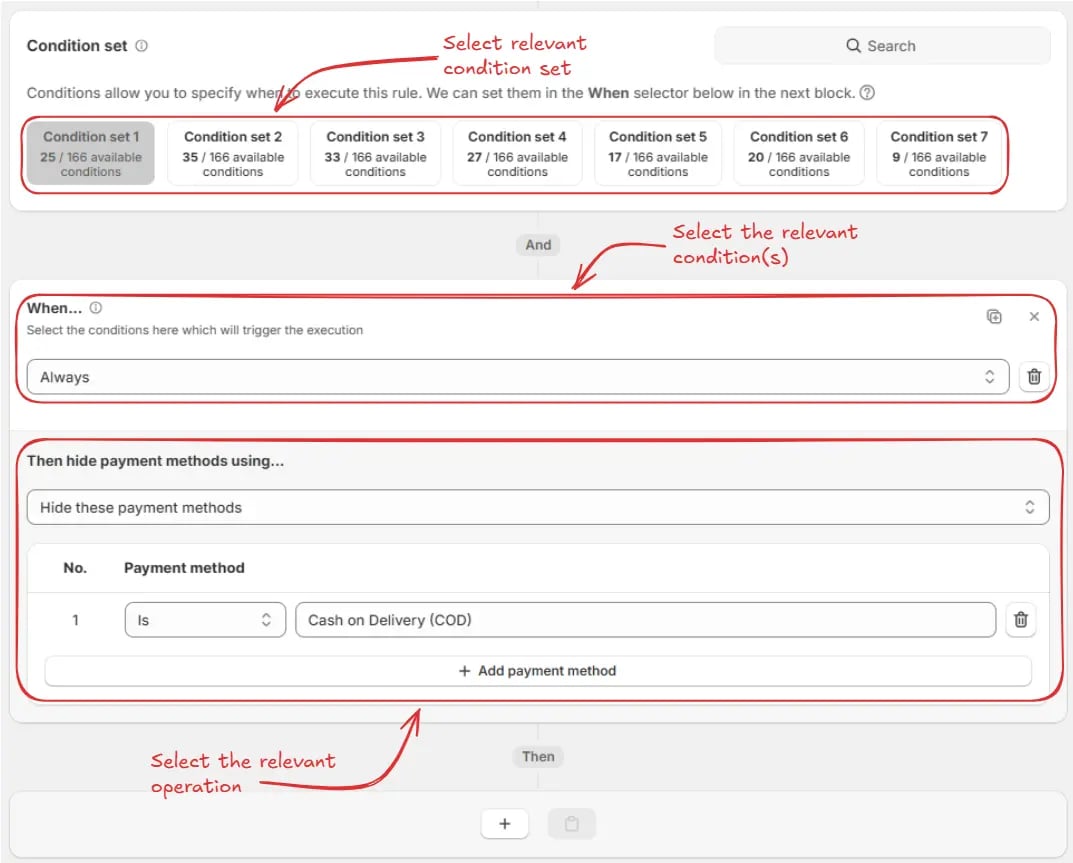
 接着,在同一页面上,选择相关的 [条件集](/guides/zh/get-started/concepts#条件集)、[条件](/guides/zh/get-started/concepts#条件(“何时”)) 和 [动作](/guides/zh/get-started/concepts#动作(“做什么”))。
> 例如,这里我们使用默认的 **条件集 1**,将规则设置为 **始终运行**,并配置为隐藏支付方式 **"货到付款 (COD)"**。
接着,在同一页面上,选择相关的 [条件集](/guides/zh/get-started/concepts#条件集)、[条件](/guides/zh/get-started/concepts#条件(“何时”)) 和 [动作](/guides/zh/get-started/concepts#动作(“做什么”))。
> 例如,这里我们使用默认的 **条件集 1**,将规则设置为 **始终运行**,并配置为隐藏支付方式 **"货到付款 (COD)"**。
 在 **动作部分**,您有三个选项可以管理结账时的支付方式:
* **隐藏这些支付方式** – 当条件匹配时,仅隐藏您指定的支付方式。
在 **动作部分**,您有三个选项可以管理结账时的支付方式:
* **隐藏这些支付方式** – 当条件匹配时,仅隐藏您指定的支付方式。
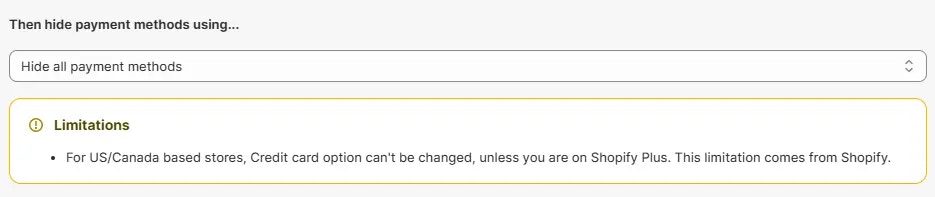
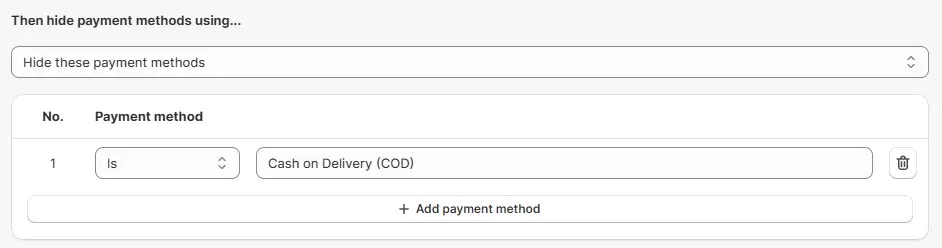 * **隐藏所有支付方式** – 当条件匹配时,隐藏所有可用的支付方式。
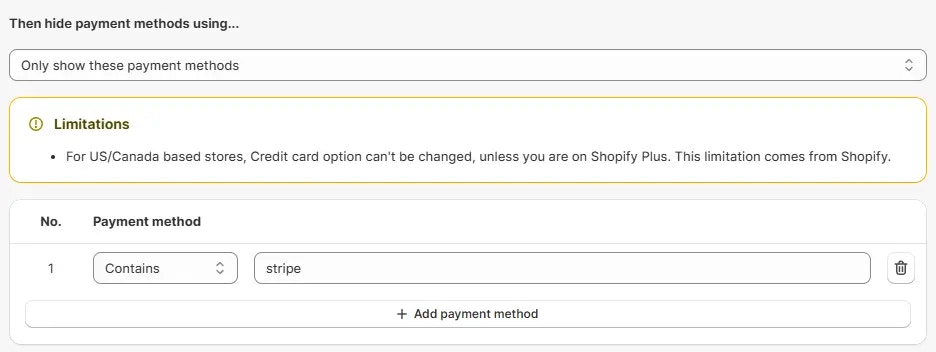
 * **仅显示这些支付方式** – 当条件匹配时,仅显示指定的支付方式,并隐藏所有其他支付方式。
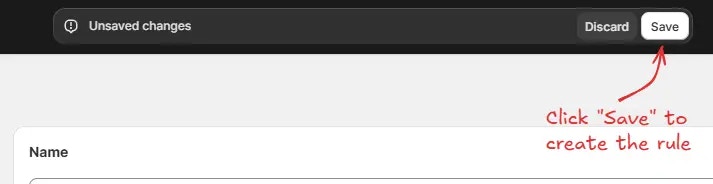
 最后,点击顶部的 保存 按钮以创建并保存您的规则。
 ## 测试规则
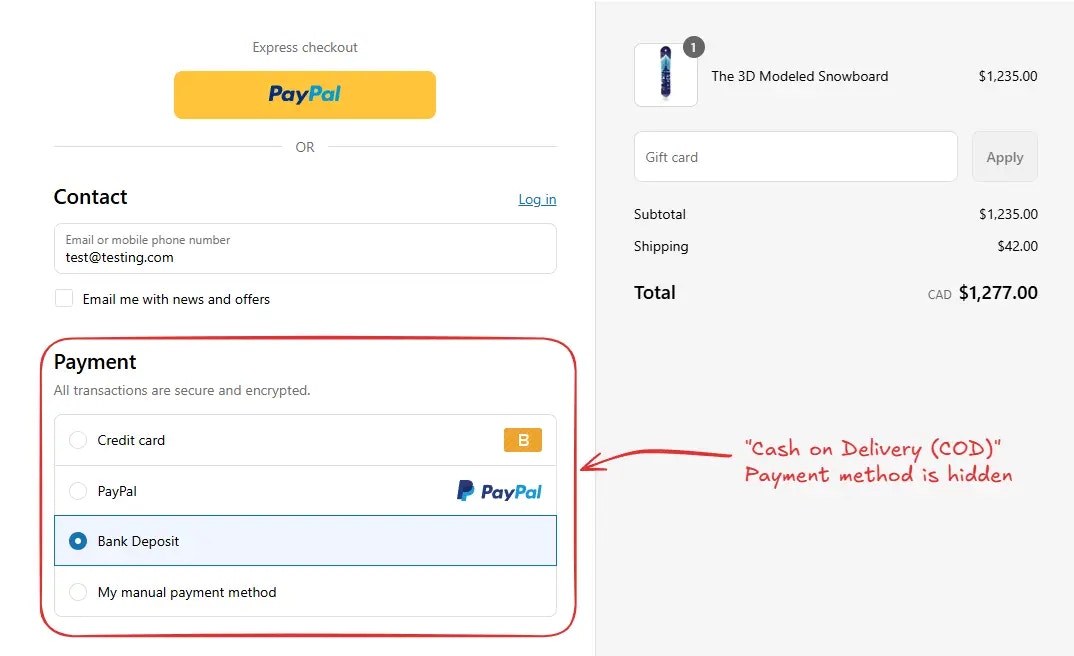
由于规则设置为测试地位,我们必须使用 `test@testing.com` 作为邮箱,而不是实际邮箱,在结账时运行规则。
下图显示了在使用测试邮箱地址 之前 的结账页面。请注意支付方式 货到付款 (COD) 是可见的。
## 测试规则
由于规则设置为测试地位,我们必须使用 `test@testing.com` 作为邮箱,而不是实际邮箱,在结账时运行规则。
下图显示了在使用测试邮箱地址 之前 的结账页面。请注意支付方式 货到付款 (COD) 是可见的。
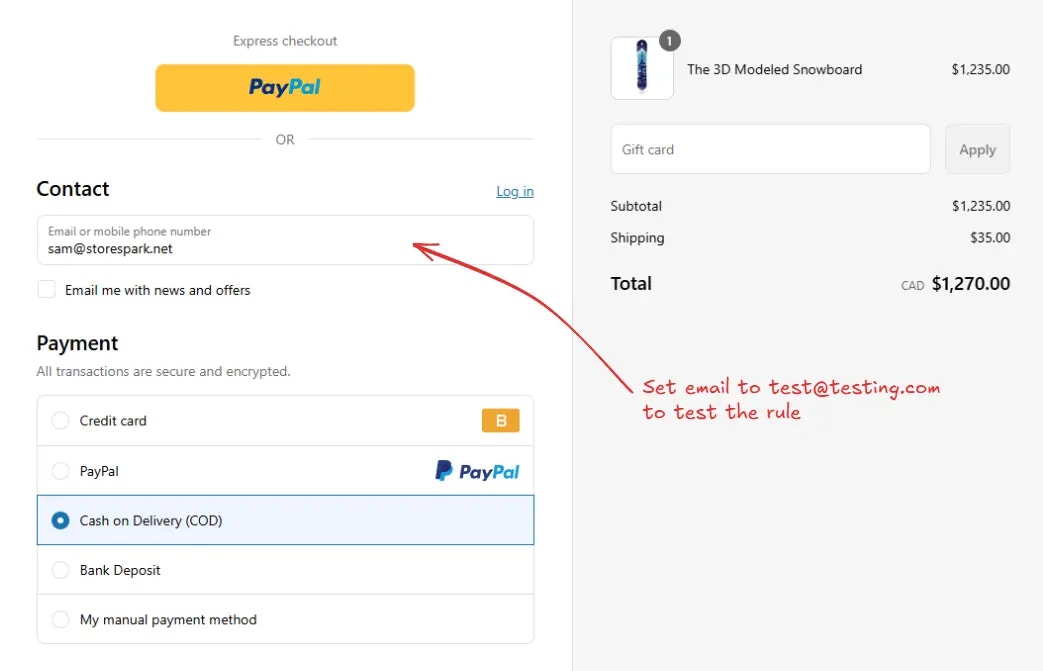 在设置邮箱后,结账规则运行并隐藏了指定的支付方式。我们可以验证 **货到付款 (COD)** 支付方式已不再可见,如下所示。
 ## 激活规则
测试完成后,我们可以激活规则,以便它开始在结账时对实际客户生效。只有已激活的规则才能对所有客户的结账产生影响。
点击侧边栏中的 **规则** 查看所有规则。选择您要激活的规则,然后点击 **激活** 按钮以激活它。
规则激活仅适用于付费计划。如果您尚未升级计划,请按照
[此处](/guides/zh/get-started/installation#升级您的套餐) 的说明进行升级。
## 激活规则
测试完成后,我们可以激活规则,以便它开始在结账时对实际客户生效。只有已激活的规则才能对所有客户的结账产生影响。
点击侧边栏中的 **规则** 查看所有规则。选择您要激活的规则,然后点击 **激活** 按钮以激活它。
规则激活仅适用于付费计划。如果您尚未升级计划,请按照
[此处](/guides/zh/get-started/installation#升级您的套餐) 的说明进行升级。
 ## 限制
* 对于美/加商店,信用卡选项无法更改,除非使用 Shopify Plus。此限制来自 Shopify。
## 限制
* 对于美/加商店,信用卡选项无法更改,除非使用 Shopify Plus。此限制来自 Shopify。